
Why Federal Resume PDFs Fail on USAJOBS
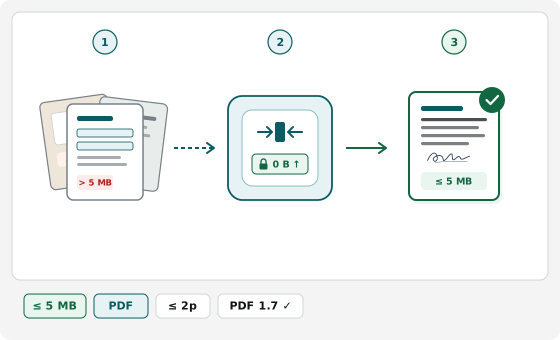
Word and Google Docs exports often spill a trailing blank line onto an extra page, while image-based PDF compressors flatten text into pictures that fail HR and keyword review. Drop your resume PDF to verify a page count at or below 2 pages, flatten annotations or form fields, and shrink graphics below 5 MB without rasterizing text. Your resume stays in local browser memory with zero server uploads.
Under OPM Merit Hiring Plan rules, USAJOBS checks resume page count, byte size, container format, and searchable text on upload.
Catching the Hidden Extra Page Above 2 Pages
A draft that looks like 2 pages in Word or Google Docs often exports with an empty trailing paragraph that creates an extra PDF page. USAJOBS blocks resumes over 2 pages or marks non-compliant filings ineligible. Checking exact PDF page count upfront lets you tighten bottom margins before uploading.
Why Rasterized PDFs Hurt Federal HR Review
Many PDF compressors shrink files below 5 MB (5,242,880 bytes) by converting pages into flat JPEGs, destroying the selectable text HR specialists and applicant tracking systems use to verify dates, hours, and GS grades. This workbench optimizes structure and embedded graphics while requiring selectable text.
Avoiding Portfolios, Locks, and Bundled Attachments
- No Adobe PDF Portfolios: USAJOBS rejects portfolio wrappers; upload SF-50, DD-214, and transcripts in their separate document slots.
- Remove password locks: Encrypted or password-locked PDFs fail USAJOBS parsing and must be saved unlocked first.
- Include OPM essentials inside 2 pages: List start and end month/year, weekly hours worked, and applicable GS grade for each relevant role.